Tracking Brush Head Usage in a Memory-Constrained Device. Using Python to simulate a real embedded firmware design problem.
Introduction
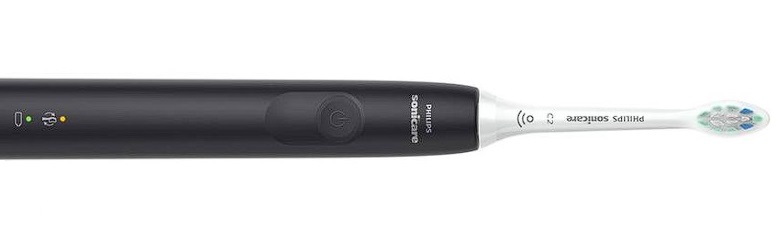
Modern electric toothbrushes can remind users when it’s time to replace the brush head. While this seems like a simple feature, it raises an interesting question:
How does the toothbrush know whether you’ve installed a brand-new brush head or simply removed and reattached the old one?
To solve this problem, the toothbrush needs a way to uniquely identify each brush head and track its usage history over time.
In this article, we’ll build a Python simulation of such a system while discussing how a real embedded firmware implementation might be designed for extremely limited memory environments.
Although our example is written in Python for educational purposes, production firmware would typically be implemented in C or C++ on a low-power microcontroller.
The Engineering Challenge
Imagine we are designing firmware for a smart electric toothbrush.
Requirements:
- Track every brushing session
- Maintain a usage count for each brush head
- Notify the user when a brush head should be replaced
- Detect when a brush head has been removed and replaced
- Distinguish between:
- Reinstalling the same brush head
- Installing a brand-new brush head
The distinguishing requirement is the tricky part.
Consider this sequence:
- User installs Brush Head A
- Device records 200 uses
- Replacement alert appears
- User removes the brush head
- User immediately reattaches it
Without some way of uniquely identifying the brush head, the toothbrush has no idea whether this is:
- the same worn-out head, or
- a completely new replacement.
Assigning an ID to Every Brush Head
One simple solution is to assign a small unique identifier to every brush head. Example:
Brush Head #1 → "1234"
Brush Head #2 → "5678"
Brush Head #3 → "7821"
Whenever a brush head is attached, the toothbrush reads the identifier.
The firmware can then check:
Have I seen this ID before?
If yes:
Continue tracking previous usage count.
Else:
Treat as a brand-new brush head.
The concept is surprisingly simple but extremely effective.
Python Simulation
A Python dictionary provides an easy way to model the firmware behavior. Conceptually, we want something like:
brush_heads = {
    "1234": 101,
    "5678": 55,
    "7890": 200
}
Where:
- Key = Brush Head ID
- Value = Number of uses
When a brushing session occurs:
- Read the current brush head ID
- Increment usage count
- Check replacement threshold
- Trigger alert if necessary
Why Python Is Not Used in Toothbrush Firmware
Python is a wonderful teaching and analysis tool, but it would be a poor choice for a tiny battery-powered toothbrush. The reason is memory overhead. A microcontroller may only contain just:
RAM: 8 KB – 64 KB
Flash: 128 KB – 512 KB
So, every byte matters!
Suppose each brush head has:
- 4-character ID
- Usage counter
- Dictionary entry
In Python, it’s declared as:
{
    "1234": 150
}
In CPython, memory is consumed by:
- Object metadata
- Pointers
- Hash values
- Dictionary structures
- Unicode string representation
A rough estimate may be:
Item	Approximate Size
Head ID string	~56 bytes
Usage count integer	~28 bytes
Dictionary overhead	~72 bytes

1 entry: ≈ 156 bytes per brush head
Tracking 200 entries:
200 × 156
≈ 31,200 bytes
≈ 31 KB
For a small embedded device, that’s substantial.
How Embedded Firmware Stores the Same Data
In embedded firmware we often bypass the overhead and store only raw bytes. For example:
Brush Head ID
A four-character identifier: “1234” requires 4 bytes.
Usage Counter
0 – 65535 fits inside uint16_t ➡ requires: 2 bytes
An optional checksum for error detection would be 1 byte. So with head ID, counter, and checksum, one brush head would require total: 4+2+1= 7 bytes
Compare that to Python, where we saw earlier, it was 156 bytes per head.
Total requirements for 200 brush heads:
Python: 31.2 KB [156 * 200]
Embedded firmware: 1.4 KB [7 * 200]
And an optimized implementation could reduce this even further through:
- Structure packing
- Bit packing
- Fixed-length storage
- Compressed identifiers
Where Is This Data Stored?
If the battery dies, how does the toothbrush remember the usage counts?
The data must be stored in non-volatile memory such as EEPROM or FRAM.
| EEPROM | FRAM | |
| Advantages | Byte-addressable Inexpensive Perfect for small persistent data | Much faster writes Extremely high endurance Lower power consumption |
| Typical Capacity | 128 bytes – 4 KB | Can vary, but FRAM cost is higher |
| Endurance | 100,000 to 1,000,000 writes | 10¹²+ writes |
A Realistic Toothbrush Memory Layout
A smart toothbrush microcontroller might organize memory like this:
Flash
 └─ Firmware Code

RAM
 └─ Runtime Variables

EEPROM / FRAM
 ├─ Brush Head IDs
 ├─ Usage Counters
 └─ Configuration Data
The brush history must survive:
- Battery removal
- Complete battery discharge
- Firmware reboot
- Long-term storage
Lessons from Embedded Design
This simple toothbrush example highlights a broader engineering principle:
The data structure that is convenient for software development is often very different from the data structure used in embedded firmware.
Python prioritizes:
- Developer productivity
- Readability
- Convenience
Firmware prioritizes:
- Memory efficiency
- Battery life
- Reliability
- Predictable performance
Both approaches solve the same problem, but under very different constraints.
At first glance, a toothbrush reminder feature seems trivial. But once we ask how the device distinguishes a brand-new brush head from an old one, we encounter many of the same engineering considerations found in larger embedded systems:
- Device identification
- Persistent storage
- Memory optimization
- Data structure selection
- Firmware design tradeoffs
The next time your toothbrush tells you it’s time for a replacement, remember: there’s likely a tiny microcontroller keeping track of every brush session, counting uses one by one, while operating on just a few kilobytes of memory.
Note to Readers
The implementation discussed here is a Python simulation intended for educational purposes. Production devices typically implement similar functionality in embedded C or C++ firmware using EEPROM, FRAM, or other non-volatile storage technologies.
That being said, Python is excellent for learning and experimenting with different implementations and is readily available to anyone interested in coding, design, and analysis.
In our example, the Toothbush class in Python would look like this:
class Toothbrush:
    def __init__(self, max_usage_limit=200):
        self.current_head_id = None
        self.usage_count = 0
        self.max_usage_limit = max_usage_limit
        self.head_history = {}

    def attach_head(self, head_id):
        ...

    def record_usage(self):
        ...
Where: head_history simulates EEPROMhead_id simulates an RFID/tag IDusage_count simulates the stored brush lifemax_usage_limit simulates the replacement threshold
Example code to attach a brush head:
tb = Toothbrush()

tb.attach_head("111")

for _ in range(200):
    tb.record_usage()

And the oputput at 200 usages of that head will be:
Usage 200: ⛔ Replace toothbrush head!
Interactive Simulation Scenarios: Complete Simulation Code
The complete simulation used to test the model contains several scenarios:
- New brush head installed
- Existing head reattached
- Expired head reattached
- New replacement installed
- Multiple heads tracked simultaneously
I have broken them into different scenarios in plain english (in comments of the script) and in actual code. Other things I added in the simulation is the tracking of morning and evening brushings (which are really first and second usages in a day). I am also keeping a history — this implementation is more sophisticated because it remembers multiple historical brush heads and their individual usage counts. However, commercial toothbrush manufacturers may only care about the currently installed brush and can just store the head ID and without any checksum, it would only require 6 bytes. That’s a tradeoff to be aware of.
👩🏿💻 The full source code is available via GitHub.
I hope you’ve found this helpful. Please explore the flyingsalmon.net site for more interesting articles (use the Tags and shortcut menus on each page or use Search to discover), puzzles, and more.
👀 Also check out my Youtube channel.
